



We’ve just made it easier to stay on top of your messages. You can now receive call answering service messages on WhatsApp.
Here’s what’s changed and why we’ve added this feature.

Table of contents
Why WhatsApp

Why WhatsApp
People respond quickest on the apps they’re already using. For most of our customers, that’s WhatsApp.
A few other reasons it made sense to add WhatsApp:
- It’s familiar: No new app, no new login.
- It’s the app you’re already in: No extra inbox to check.
- Messages get read faster: Notifications cut through where emails don’t.
- It works on the go: Job site, on the road, even overseas.
The good news: it’s live. If you’re on one of our standard live call answering plans, we can now deliver your call messages straight to WhatsApp, alongside email.
What you get
What you get
Every message your receptionist takes, delivered exactly how you want it.
- Choose from email, SMS or WhatsApp
- Available on most live call answering plans, no upgrade needed
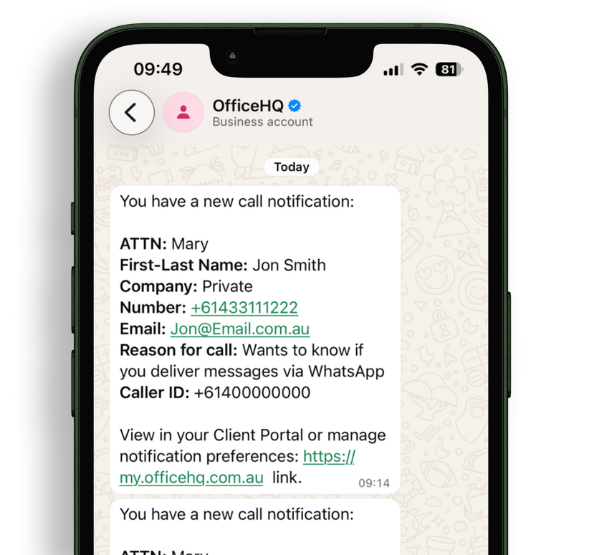
- Same message format across every channel
- Reply, save contact, or forward to a colleague without leaving the chat
- Pair with call transfers on eligible plans
Mix and match whatever suits your business. Setting it up takes less than a minute.
What you get
Setup in less than a minute
Setup in less than a minute
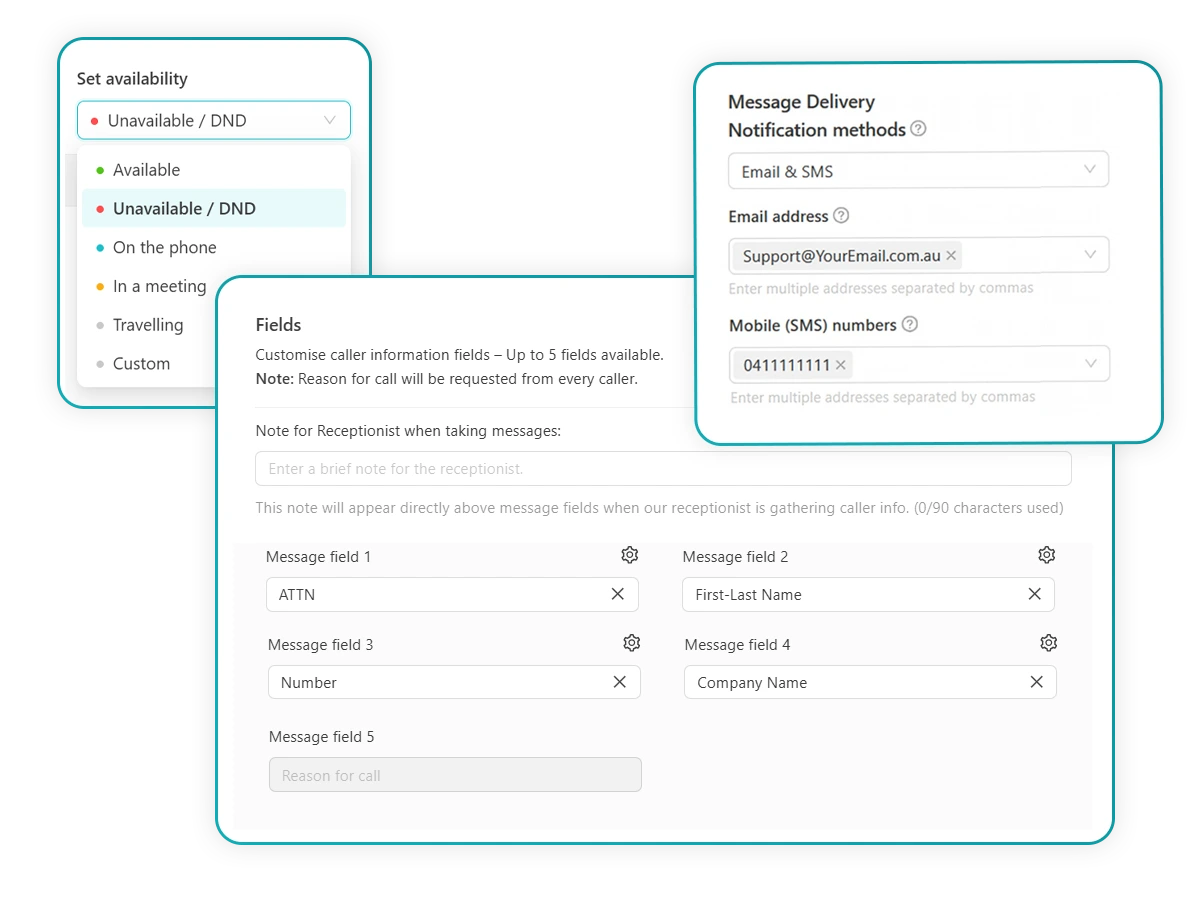
Manage everything from the call management section of your OfficeHQ client portal.
It’s the same place you go to update greetings, check usage, or review your call activity.
Here’s how to turn it on:
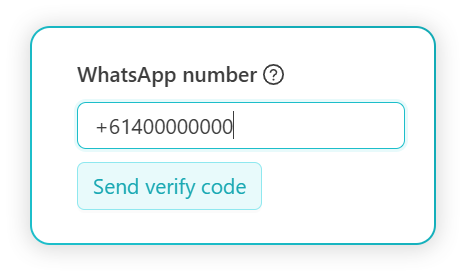
- Enter your WhatsApp number
- Verify your number
- Toggle WhatsApp as a notification method
That’s it. Your next call message will land in WhatsApp alongside (or instead of) your existing delivery channels, whichever you’ve set.
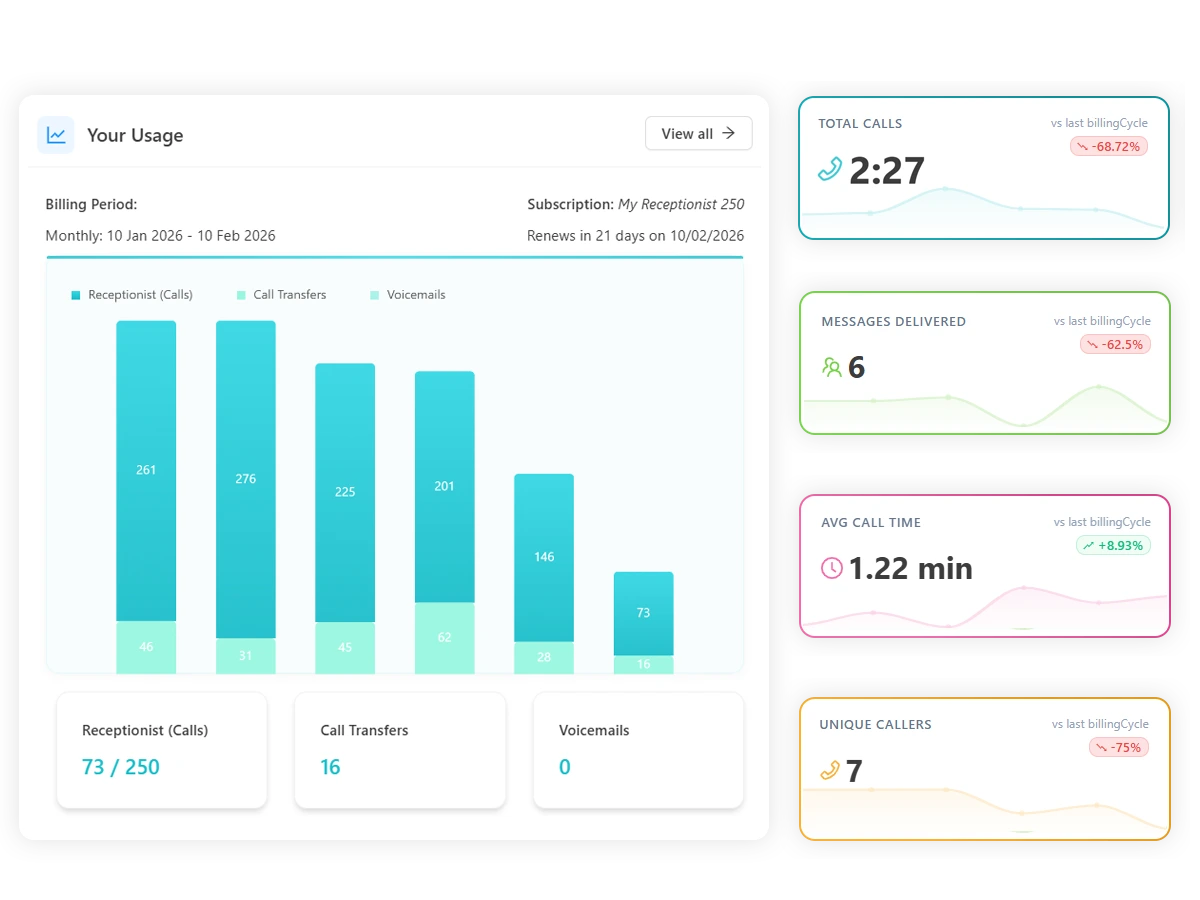
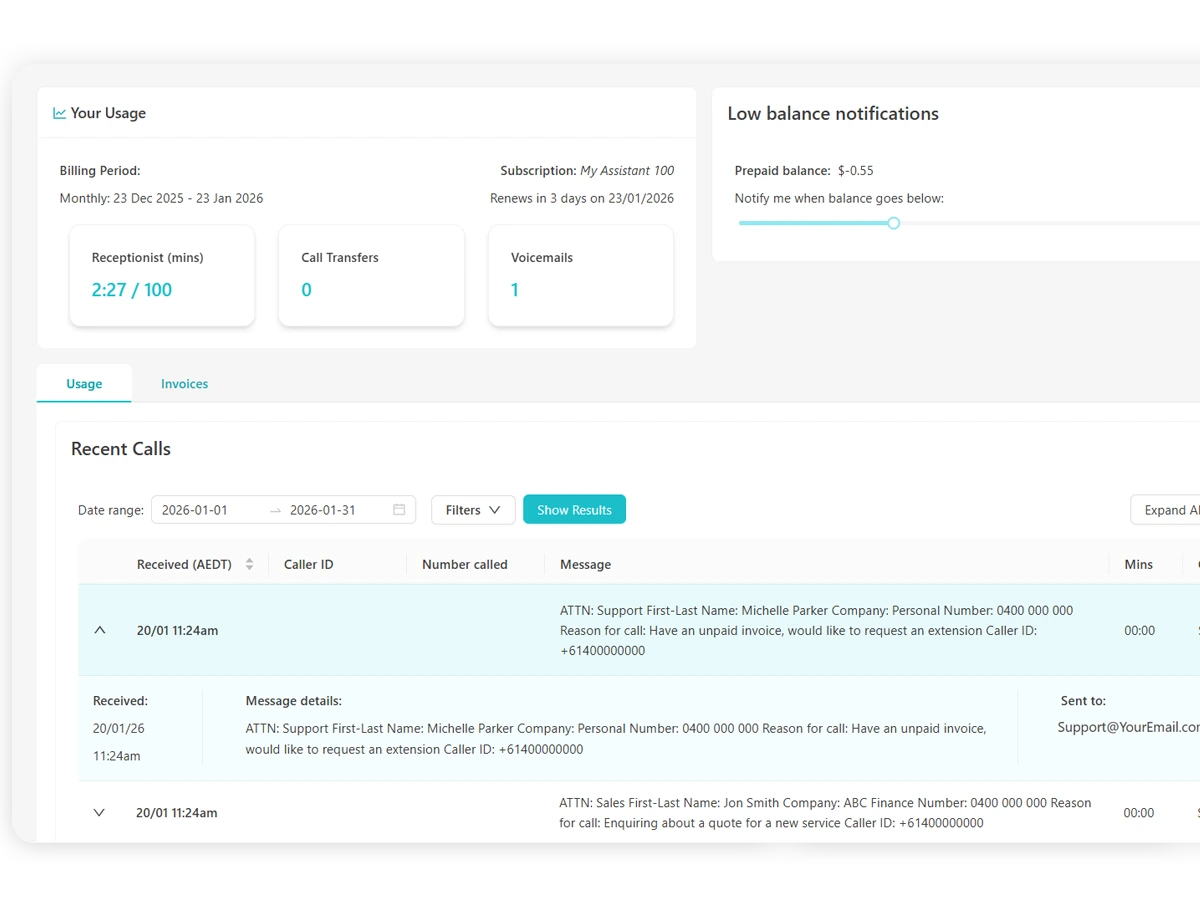
You’ll also see WhatsApp reflected in your usage, so you always know where messages have been sent.
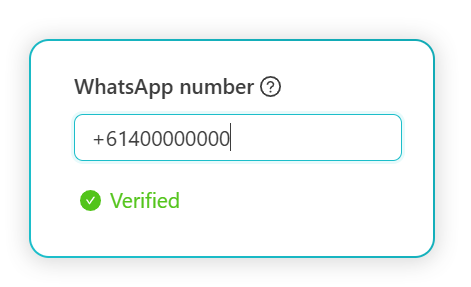
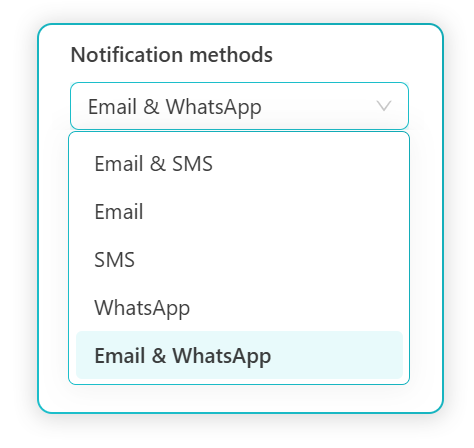
That’s it. Your next call message will land in WhatsApp alongside (or instead of) your existing delivery channels, whichever you’ve set.
You’ll also see WhatsApp delivery reflected in your usage dashboard, so you always know where messages are going and how they’re being counted.
The portal that runs it all
For customers who haven’t spent much time in the portal yet, it’s worth a quick tour. Your client portal is where you stay in control of everything your virtual receptionist does on your behalf. No extra setup. No learning curve. Just the controls you need, in the place you already use.
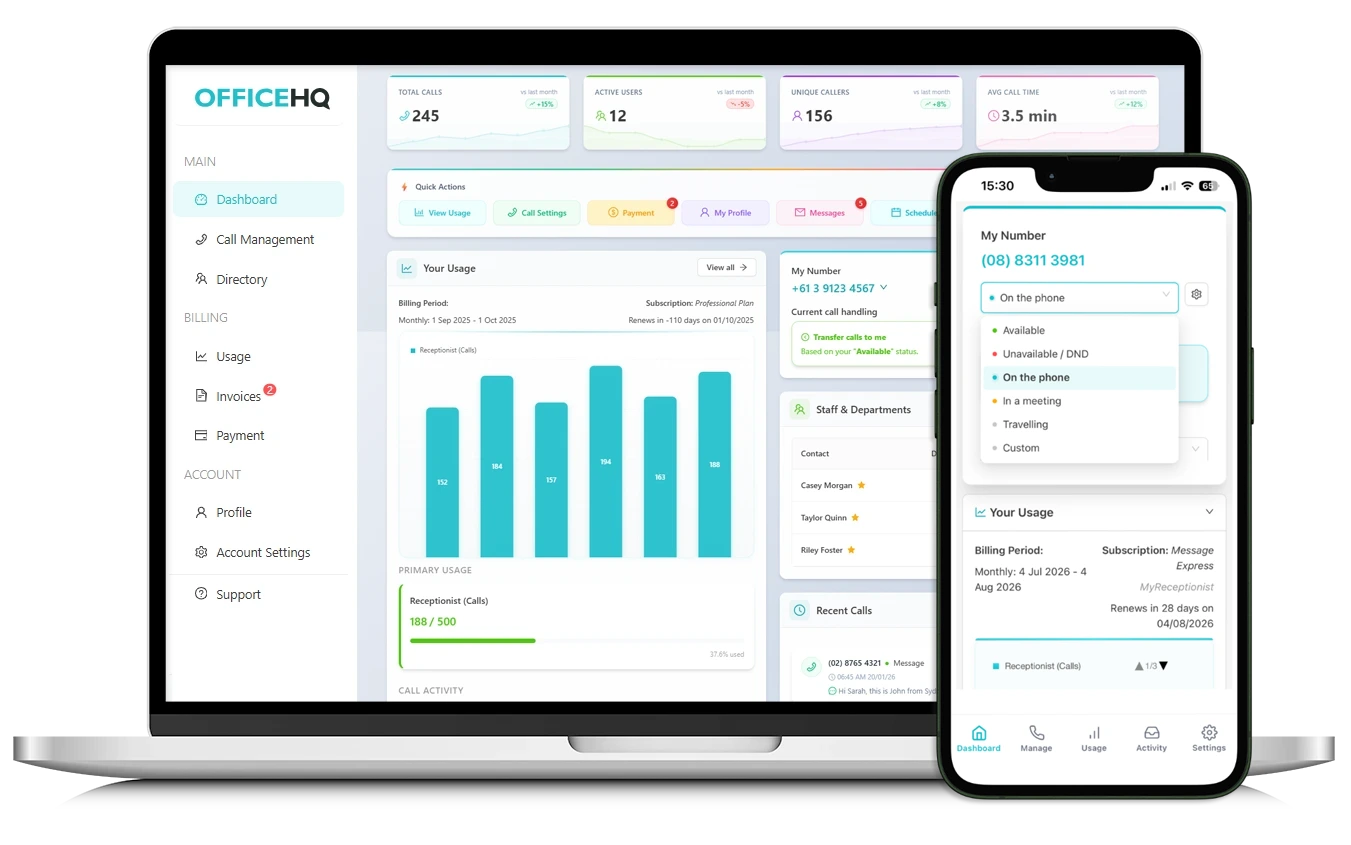
Access Anywhere
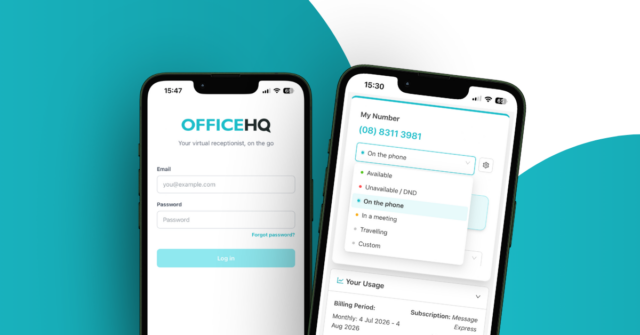
Manage your communications wherever work happens. The portal and app work seamlessly across your desktop, laptop or mobile so you stay connected in the office or on the move.
- Desktop, mobile & app compatible
- Accessible from multiple devices
- Multi user access
- Real time updates
No extra setup or learning curve required.
New to OfficeHQ? WhatsApp is just the start
Are you grappling with missed calls, cluttered inboxes, and a full-time receptionist salary you can’t justify? Business owners across Australia are solving all three with OfficeHQ. And now, you can receive your call messages straight to WhatsApp.
We’re an Australian-owned service with professional receptionists answering calls 24/7 in your business name and we’ve been helping Aussie businesses capture every opportunity since 2003.
OfficeHQ CEO David Atkinson puts it simply: “Most of our customers are running their businesses on the go. They’re in meetings, on site, or with clients – and they’re already living in WhatsApp. It made sense for us to deliver their messages there, too.
“It’s a small addition, but for a lot of people it’ll make a real difference to how quickly they can respond to their customers.”
Our live-call answering plans start from $25 per month with no lock-in contract, and you can try our service obligation-free with our 7-day free trial.
WhatsApp business messaging FAQs
Which OfficeHQ plans include WhatsApp message delivery?
WhatsApp message delivery is available on most live call answering plans, with no upgrade required. If you're already on a plan, you can turn it on directly from your online client portal. Please note it isn't currently available for highly scripted services.
Do I need a separate WhatsApp Business account to use this?
No. You just need a WhatsApp number – this can be your personal number or a dedicated business number. You'll verify it in your client portal, then toggle WhatsApp as a notification method. That's all there is to it.
Can I still receive messages via email alongside WhatsApp?
Yes. WhatsApp is an additional delivery option and can be used alongside email - so you don't have to choose between them. Just select the combination that works best for your business.
Will my messages look the same when sent to WhatsApp?
Yes. Your messages arrive in the same format across all delivery channels, so you'll see the same caller details and message content whether you're reading via email, SMS or WhatsApp.
How do I get call messages on WhatsApp?
Head to the Call Management section of your OfficeHQ client portal, then click Directory > Manage > Contact Me. Enter and verify your WhatsApp number, then toggle WhatsApp as a notification method. Your next call message will land there automatically.